Two products, built in-house.
FS Designer is the flagship — a precise 2D vector design tool that also builds: model your data, plan your screens, and generate the app design and the code behind it. FS Tracker is the project-and-time tracker I built to run my own studio.
FS Designer — design the app, then build it.
A precise 2D vector tool at its core — shapes, type, pen paths, and real, editable boolean geometry. On top of that sits a build path: declare what the app is for, model its data, plan its screens, settle its look and feel, and generate a real, styled design and the code behind it. That's step one of Intent Driven Software Development — design that becomes software, not a static handoff.
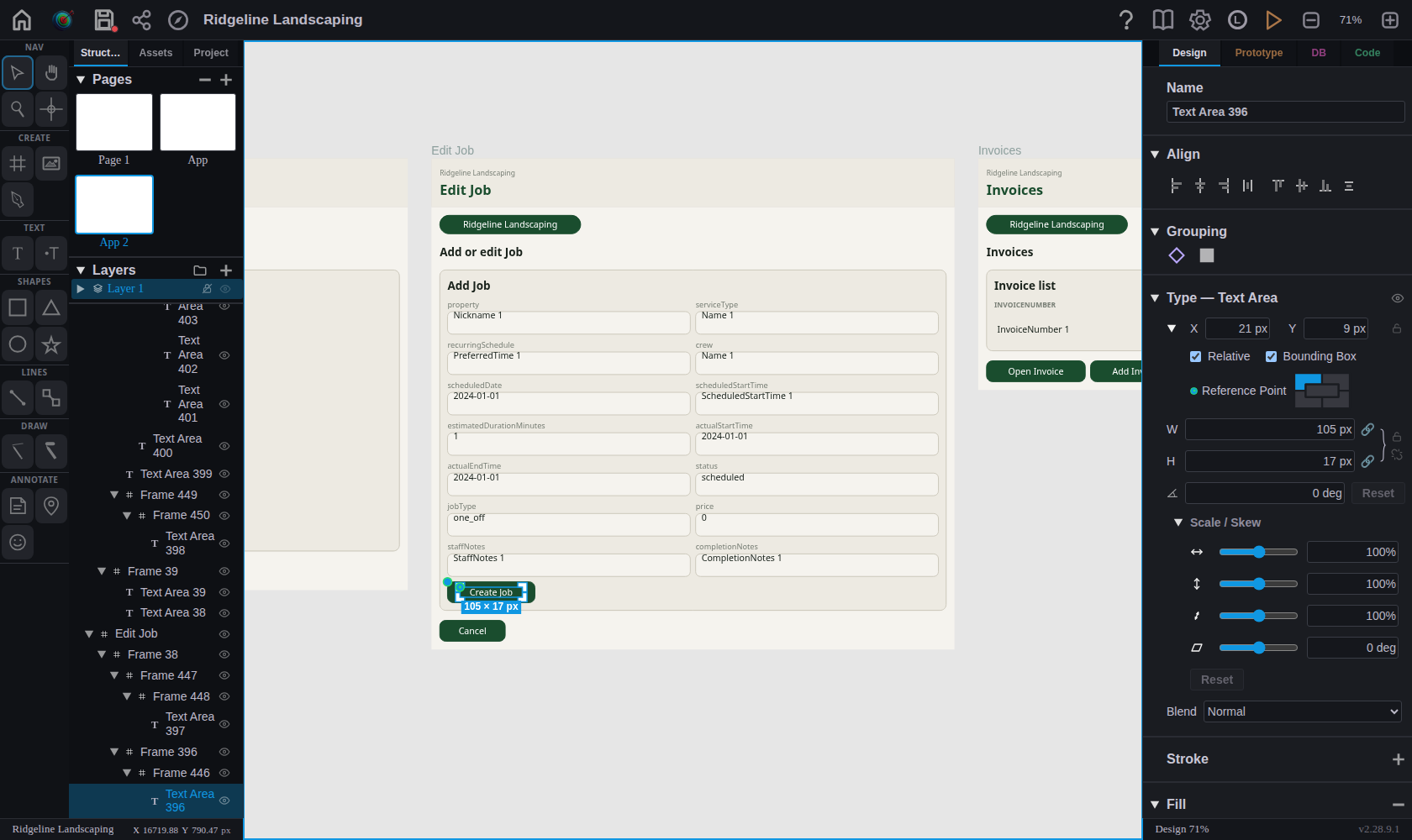
Built for real design work.
A working subset of what's in the alpha. More lands regularly between now and launch.
Shapes and text
Rectangles, ellipses, triangles, stars, regular polygons, and text — fixed text boxes or point text that grows as you type, with rich formatting and full font, weight, and alignment control.
Boolean operations
Union, intersection, difference, exclusion, and outline — backed by a Martinez-Rueda polygon clipping engine with 2,000 randomized fuzz cases behind it.
Bezier pen tool
Draw paths with full handle and node editing. Snap to grid, existing nodes, or segments while you work, and edit handles non-destructively.
Fill, stroke, shadow, masks
Solid colors, linear and radial gradients with draggable on-canvas handles, dashed strokes with configurable width and alignment, drop shadows, and vector clip masks.
A real design system
Color, text, and spacing tokens that propagate everywhere they're used, reusable templates, style classes you build visually, auto-layout stacks, and constraints that hold when a frame resizes.
Prototypes and animation
Click, drag, hover, and key-down triggers on any object — navigate frames, scroll, open links, set variables, branch with if/then logic — plus animation sequences on a storyboard timeline.
From intent to a working app.
The part that makes it more than a drawing tool. Each step feeds the next, and the Build Guide walks the whole path.
1 · Program Scope
Declare what the app is actually for — who uses it, what it has to do — before a single screen exists. Everything downstream is generated against that intent.
2 · Your data model
Model entities, fields, and relationships in the Code tab. The model is the source of truth for the screens, the back end, and the generated code.
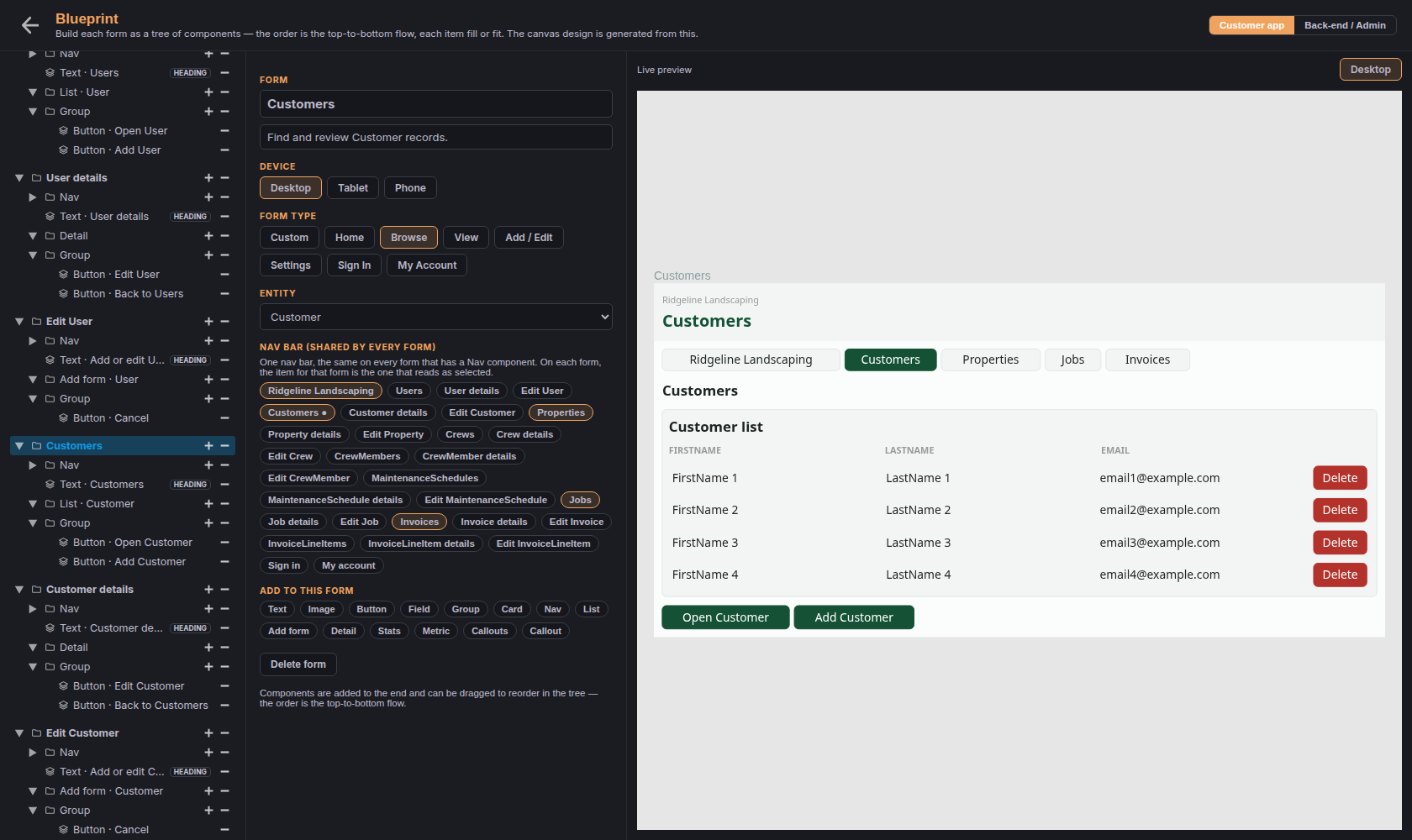
3 · Blueprint
Plan the app's structure as a tree of screens, containers, and items — pure structure, no styling. Generate from your model and you get the real record flow: browse a list, view a record, add or edit it, wired together.
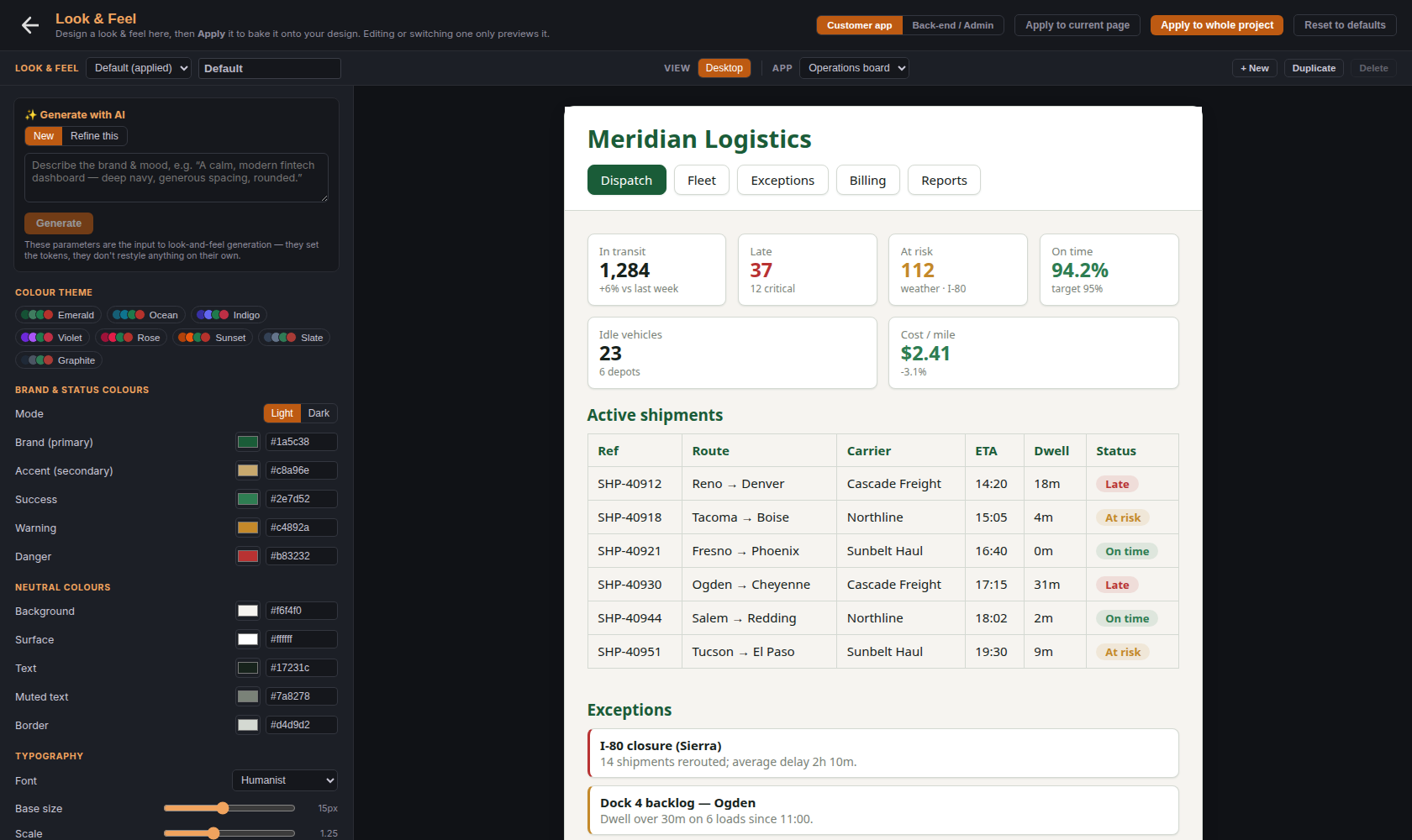
4 · Look & Feel
One set of design decisions — color, type, spacing, layout, nav placement, device targets — previewed live on three sample apps, including a deliberately busy one where the trade-offs actually show.
5 · Generate the design
Turn the blueprint and look & feel into a real, styled, editable design on a new canvas page — deterministically, or with AI from a prompt. It's your design afterward: every object is a normal, editable object.
6 · Front end and back end
Generate the app's code from the same model — plus a designed back end: endpoints, reports, business rules, and auth, with its own admin look & feel.
UML and flow diagrams
Sequence, use-case, and state-machine diagrams alongside the canvas — and a state machine's transitions can become real intents in the app you're building.
Live collaboration
Work on a project together and see your collaborators' cursors move as they work.
Help on every control
A help mode that explains any individual control you point at, full in-app documentation, and a tour of the whole editor.
FS Tracker — the work you track becomes the invoice.
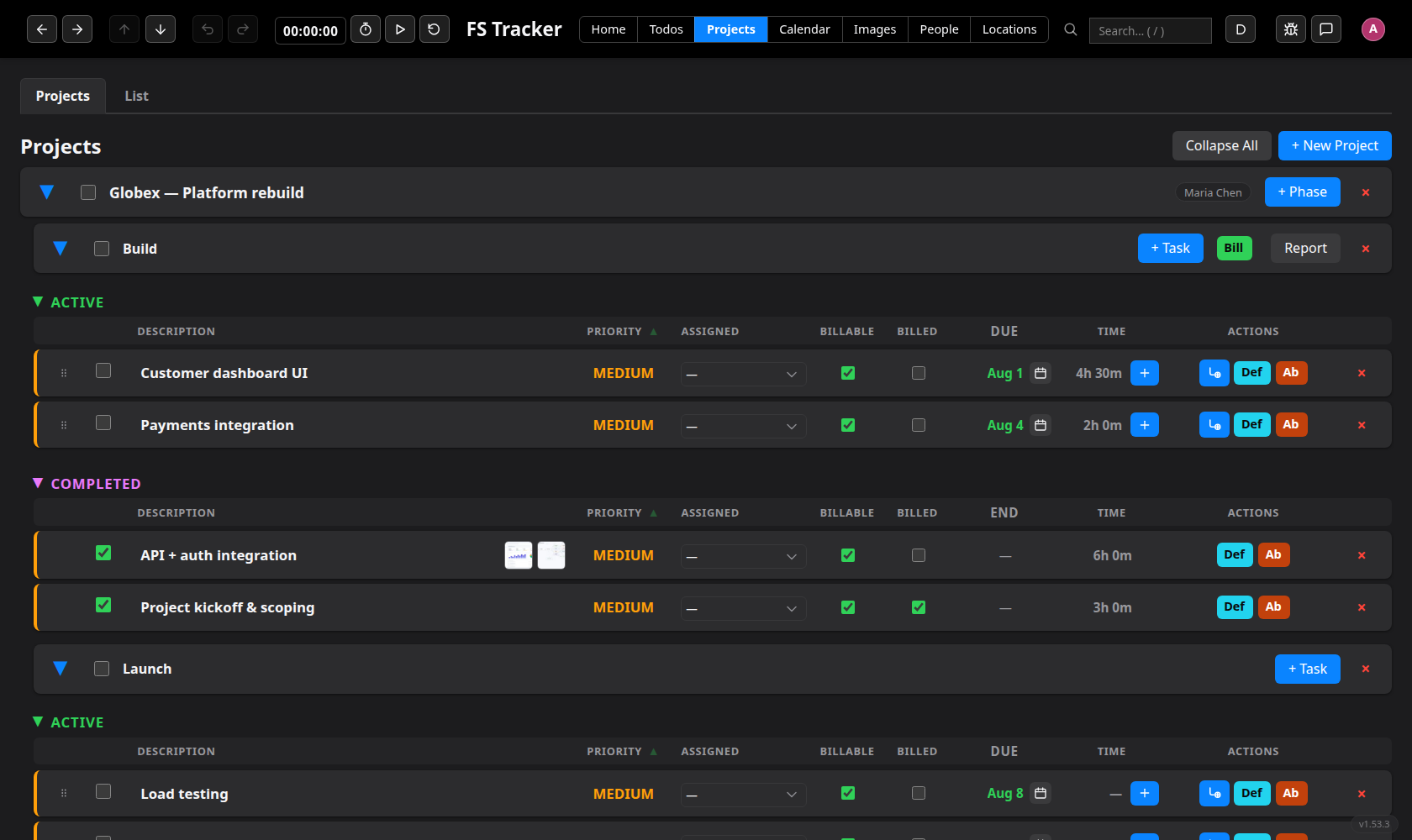
The project-and-time tracker I built to run Fletcher's Software: projects, phases, tasks, billable time, recurring work, expenses, invoicing, reports, and a calendar in one place — instead of a task tool, a time tracker, an invoicing app, and a spreadsheet that don't talk to each other. It runs my own studio every day.
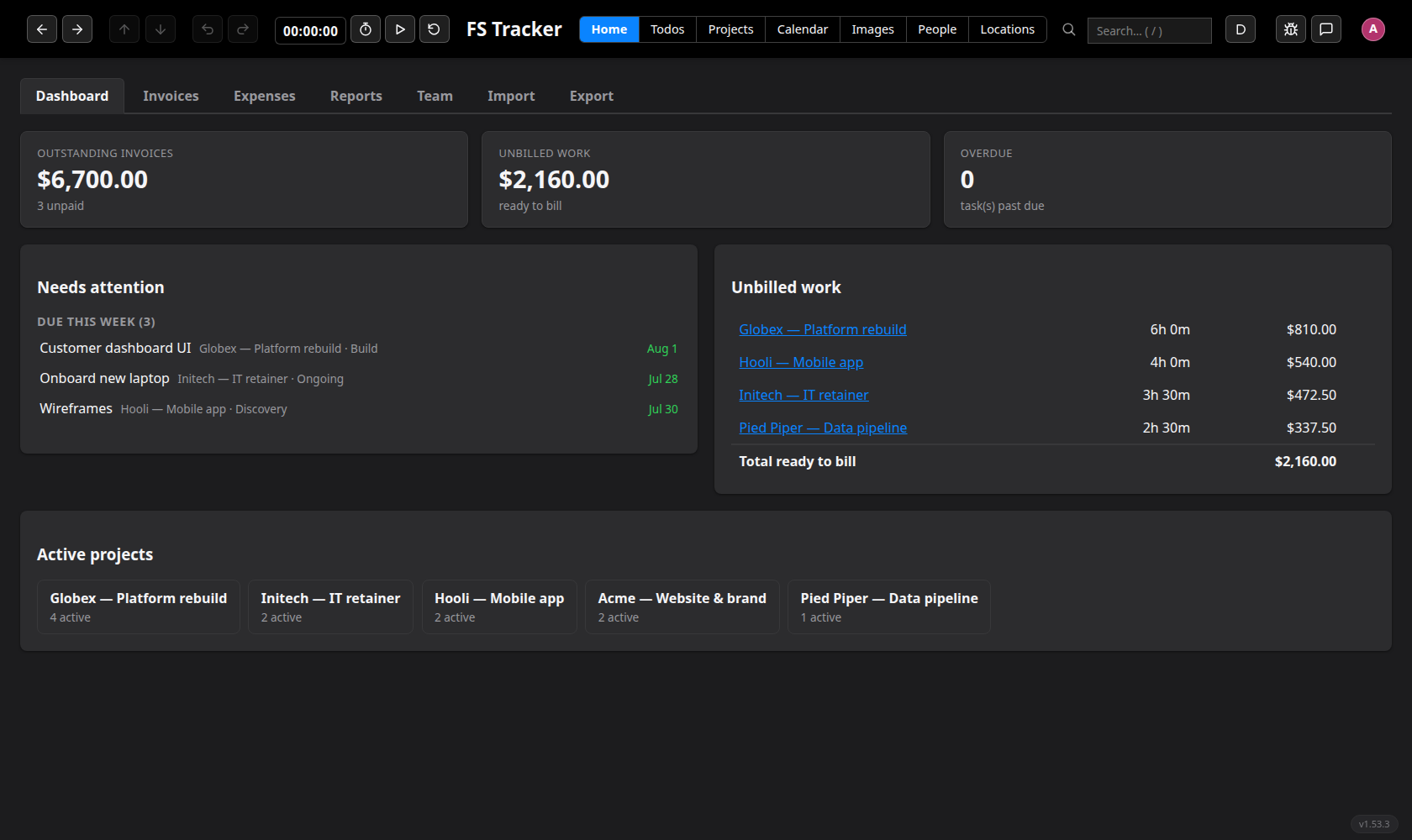
What a small studio runs on.
Track billable time
Projects break into phases and tasks, with a timer on any task — count up or count down, with your own alarm sound. Billable and non-billable time are tracked separately, so only billable hours reach the invoice.
Invoice and get paid
Turn unbilled time and expenses into an itemized invoice in a click, then send a private link clients pay online by card. Retainers go out on their own schedule as recurring invoices.
Recurring work that recurs
Retainers, monthly check-ins, and maintenance scheduled by real rules — nth weekday, day of month, week parity, holiday-aware — not just "every two weeks". Recurring expenses too.
See what's profitable
Reports for work by project, expenses and invoices by client, recurring costs, and a To Be Billed view that catches time you haven't invoiced yet — with margin and utilization, and CSV out of any of it.
One calendar
Tasks, to-dos, invoices, and expenses on one calendar, with your Google and Microsoft calendars fed in beside them — and you can create a new calendar without leaving the tracker.
Your data, in and out
Import and export your own data, drive the whole tracker from its JSON API or its built-in MCP server, and link a project straight to its design in FS Designer.
Want a closer look?
Both are free during the alpha — take a look and start a project.
See FS Designer → See FS Tracker →or text (480) 276-5806